
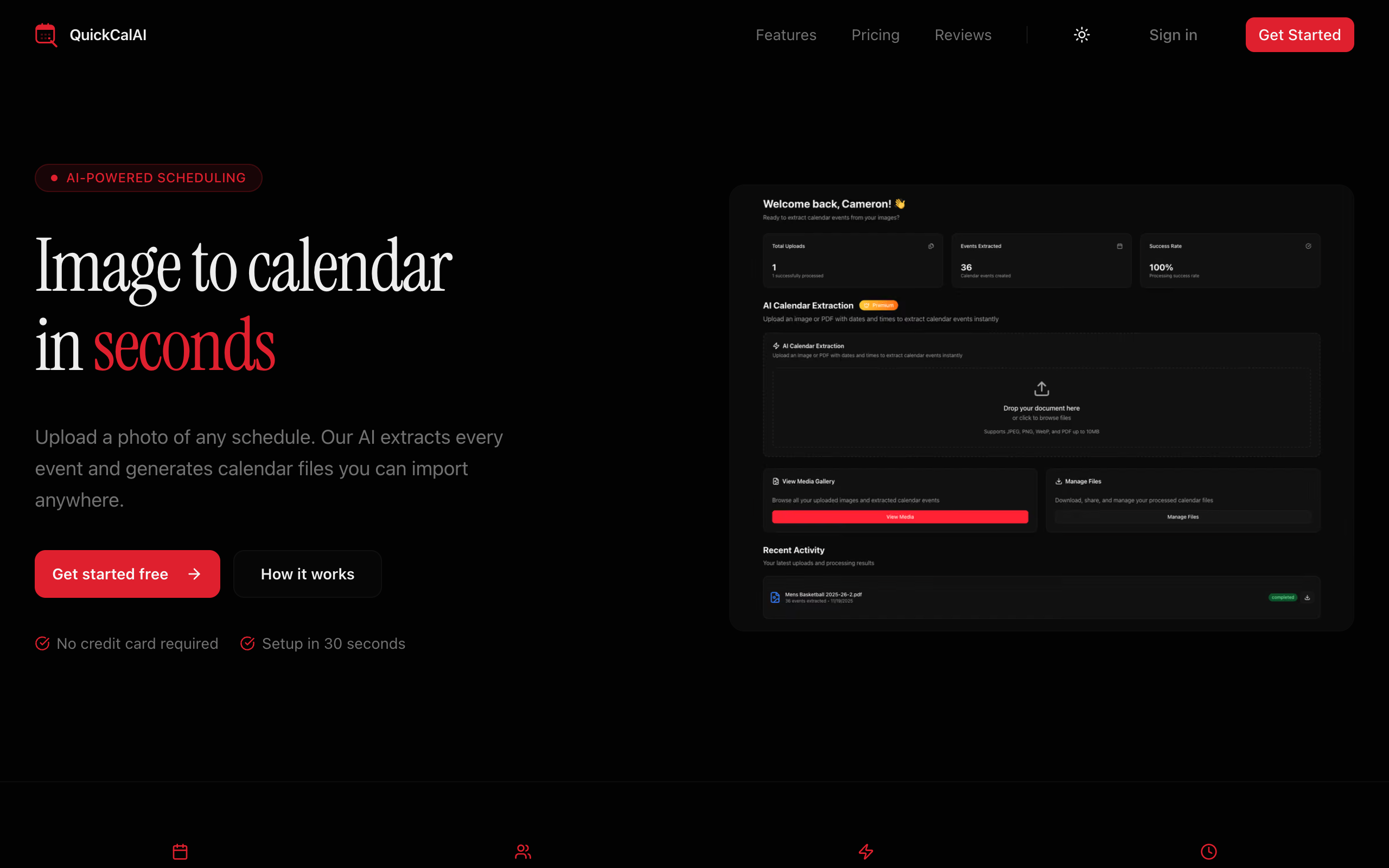
QuickCalAI
AI-powered calendar automation tool converting photos, PDFs, and text into calendar (.ics) events for people and agents.
QuickCalAI
QuickCalAI turns schedules into calendar files. Give it a photo, PDF, pasted text, a public URL, or structured JSON events — Clef checks the document for dated events, a single GLM vision call reads images directly (unpdf handles PDF text layers), and GLM extracts every date and time (or skips AI entirely for structured input) into a standard .ics file that imports into Google Calendar, Apple Calendar, Outlook, and any other calendar app.
Current state (read this first)
There are two QuickCalAI deployments right now:
| Where | Status | |
|---|---|---|
| Legacy app | Vercel + Clerk, serving https://quickcalai.com |
Still live; this is the rollback |
| New app | Cloudflare Workers, quickcal-web + quickcal-server |
Live on *.rocktown-labs.workers.dev; cutover pending |
The domain’s DNS is at AWS (Route 53). The new app is the target; the legacy Vercel/Clerk app stays up until the cutover is verified. The Clerk user import and the announcement email scripts are ready but should be run in the order described in DEPLOYMENT.md. Do not delete the Vercel project or Clerk data until the new app has been verified on quickcalai.com.
The latest security review and fixes are in SECURITY-AUDIT.md.
Plans and entitlements
- Free — one one-time AI extraction, unlimited manual/bulk event creation, universal
.icsdownloads, public share links with one-click revoke, the aggregate calendar feed, and REST/MCP access. AI calls made through the API/MCP consume the one free credit; structured events are free. - Premium — unlimited AI extractions and email (Resend) / SMS (Sent.dm) calendar delivery. SMS to US numbers requires Sent.dm A2P 10DLC registration; the web/native share sheet is the zero-cost alternative and avoids carrier link filtering.
The free credit is consumed when the AI workflow starts. It is refunded only if the run never started (invalid file, storage failure, or workflow-start failure). A failed AI run or an unparseable document does not restore it — otherwise a user could force failures and get unlimited free AI work.
How agents use it
- REST API (
/doc,/reference) — authenticate with aqc_…user API key asAuthorization: Bearer. Ingestion accepts anIdempotency-Keyheader (retries replay the original status/body instead of duplicating) and an optionalcallbackUrl(signed webhook, Stripe-styleX-QuickCal-Signature: t=…,v1=…; the per-user signing secret is inGET /api/user/me). - MCP server at
POST /mcp— stateless streamable-HTTP JSON-RPC. Auth is aqc_…API key, a session cookie, or an OAuth 2.1 access token issued by the built-in MCP authorization server. Tools:upload_text,ingest_url,create_events,check_upload_status,list_uploads,get_upload_events,update_event,delete_event,revoke_share. - Calendar feed — one private URL with every event you own; subscribe in any calendar app and rotate it from Settings.
- Review API — every extraction returns per-event confidence and the source quote it was parsed from;
PATCH /api/events/{id}fixes misreads and the.icsregenerates immediately.
How it works
image/PDF ──▶ POST /api/uploads ──▶ R2 (source file) ──▶ Cloudflare Workflow
                                                          │
                    ┌─────────────────────────────────────┘
                    ▼
            Clef "does this contain dated events?" (@cf/cloudflare/clef —
                    │    in-spec PNG/JPEG/WebP ≤ 4 MiB, in-network; no
                    │    fallback — provider failures fail the upload, never
                    │    mislabel it)
                    │    PDFs + oversized images skip the pixel gate and go
                    │    straight to extraction (what it finds decides)
                    ▼
            GLM vision (images): one call, image → events JSON
                    │    PDFs: unpdf reads the text layer, then the same
                    │    text extractor runs; pasted-text and text-URL
                    │    ingest join here directly
                    ▼
            GLM event extraction (@cf/zai-org/glm-5.3-flash on the
                    │    Workers AI binding — in-network)
                    ▼
            events rows (D1) + .ics file (R2) + share token
                    ▼
            poll status ──▶ review/edit ──▶ download / email / SMS / share link
- The browser uploads the file to the API (
multipart/form-data, ≤ 10 MB, JPEG/PNG/WebP/PDF). Scanned PDFs with no text layer are rasterized to an image in the browser by the web uploader and sent down the vision path. - The API stores the file in R2, records an upload row in D1, and starts a Cloudflare Workflow.
- In-spec images are classified by Clef (Cloudflare's decision model, in-network via the Workers AI binding); PDFs and oversized images skip straight to extraction. Images are read in a single GLM vision call; PDFs have their text layer read by unpdf before the same text extractor runs. API/native uploads of a PDF with no text layer fail with a clear message — use an image instead. Relative dates ("today", "this Saturday") resolve against the upload timestamp.
- It writes an
.icsto R2, inserts event rows, and marks the uploadcompletedwith a public share token (orno_events/failed). - The dashboard polls status and offers review/edit, download, copy-link, device share, email, and SMS delivery. A public share page (
/s/{token}) shows the events and serves the.ics(alsowebcal://subscribable).
Architecture
Bun + Turborepo monorepo, deployed entirely to Cloudflare via Alchemy:
| App | What it is |
|---|---|
apps/web |
Astro site — marketing landing page, login/signup, dashboard, uploader, files, settings, share pages, legal/help, password reset, email verification, and the MCP OAuth consent page. Deployed as the quickcal-web Worker. |
apps/server |
Hono OpenAPI API + Better-Auth handler + the CalendarProcessingWorkflow + a RateLimiter Durable Object. Deployed as the quickcal-server Worker. Serves /doc (OpenAPI), /reference (Scalar), /mcp, and the RFC 9728 / OAuth 2.1 discovery endpoints. |
apps/native |
Expo/React Native app mirroring the mobile web app 1:1 — sign in/up, dashboard with the AI uploader (premium gate, live processing steps/progress, delivery), files (download/share/copy/email/SMS/revoke/delete), settings (profile, subscription, API keys, theme). Sessions via Better-Auth Expo plugin + SecureStore; data via TanStack Query. |
| Package | What it is |
|---|---|
packages/db |
Drizzle schema (uploads, events, API keys, Better-Auth and MCP OAuth tables, Stripe billing tables), query helpers, ICS generation, D1 migrations. |
packages/auth |
Better-Auth factory: email/password + Google OAuth, admin + Expo + Stripe + JWT + MCP OAuth plugins. |
packages/email |
React Email templates for welcome, processing complete, and the product announcement. |
packages/infra |
Alchemy IaC — D1 database, R2 bucket, Workflow, both Workers, and deploy-time env wiring (Varlock). |
Storage & bindings
- Cloudflare D1 (SQLite, Drizzle ORM) — users, sessions, uploads, events, API keys, subscriptions, plans.
- Cloudflare R2 — source documents under
uploads/{userId}/…, generated calendars underics/{shareToken}.ics. Private; nothing is served except through the API. - Cloudflare Workflows — durable AI processing pipeline.
- Cloudflare Workers AI — in-network models via the
AIbinding:@cf/cloudflare/clefgates in-spec image uploads, and@cf/zai-org/glm-5.3-flashdoes the extraction. No external AI key anywhere in the pipeline. - unpdf — serverless PDF.js text-layer extraction for PDF uploads.
- Better-Auth — sessions via cookies (
SameSite=Nonefor the split web/API origins) orAuthorization: Bearer qc_…API keys for agents/scripts. API keys are stored SHA-256-hashed; plaintext is shown once at creation. MCP clients can also use OAuth 2.1 access tokens. - Security — an Origin-check middleware guards all state-changing routes (CSRF defense for
SameSite=Nonecookies), rate limiting is backed by aRateLimiterDurable Object shared across isolates, uploads are validated by magic-byte signatures, URL ingestion re-validates every redirect, share links can be revoked, and banned accounts are rejected on every credential type. Password reset and email verification flow through Resend.
Getting started
bun install          # also runs varlock codegen (postinstall)
bun run dev          # web on :4321, API on :3000 (via alchemy dev)
Copy .env.example to apps/server/.env and fill in values. For the native app, set
EXPO_PUBLIC_SERVER_URL (the API origin) and EXPO_PUBLIC_WEB_URL (the web origin used for
public share links and auth emails) in apps/native/.env.
Generate/refresh typed env accessors after editing any .env.schema:
bun run env:generate
Database
Cloudflare D1 with Drizzle. Alchemy provisions the database and applies the migrations in
packages/db/src/migrations during deploy. To generate a new migration:
bun run db:generate
Scripts
| Script | Purpose |
|---|---|
bun run dev |
Start web + API in dev mode (Alchemy) |
bun run build |
Build the server bundle (web is built at deploy time by Alchemy) |
bun run check-types |
TypeScript / Astro type check across all packages |
bun run test |
Unit tests (packages/db, apps/server, packages/auth, scripts) |
bun run dev:native |
Expo dev server |
bun run db:generate |
Generate a Drizzle migration |
bun run migrate:clerk-users |
Import Clerk users into D1 (dry run by default; --apply writes) |
bun run email:announcement |
Render or send the product announcement (dry run by default) |
bun run env:generate |
Regenerate Varlock env accessors |
bun run deploy / destroy |
Alchemy deploy/destroy (interactive) |
bun run check |
Oxlint + oxfmt over the server, web, and packages |
Lint/format also runs via lefthook on commit (oxlint + oxfmt on staged files).
Deployment
Deploys are managed with Alchemy from packages/infra. GitHub Actions (.github/workflows/deploy.yml) deploys on push to main (stage prod). PR previews are opt-in via the ENABLE_PREVIEW_DEPLOY repository variable because a preview needs its own CORS_ORIGIN and app env; until that is configured, PR CI runs type checks and tests only.
- Production web: https://quickcal-web.rocktown-labs.workers.dev
- Production API: https://quickcal-server.rocktown-labs.workers.dev
- Deploy manually:
cd packages/infra && bunx alchemy deploy --stage prod
Environment / secrets
Server (validated by Varlock against apps/server/.env.schema; wired in packages/infra/alchemy.run.ts):
- Required to boot:
BETTER_AUTH_SECRET,BETTER_AUTH_URL,CORS_ORIGIN. - Required for billing/email/SMS features:
STRIPE_SECRET_KEY,STRIPE_WEBHOOK_SECRET,STRIPE_PREMIUM_PRICE_ID,RESEND_API_KEY,SENT_DM_API_KEY. Leave blank to deploy without those integrations; the app returns a clear configuration error when the feature is used.RESEND_API_KEYandSENT_DM_API_KEYalso driveemailEnabled/smsEnabledin/api/user/me, so the web and native clients hide delivery controls that cannot work. LeaveSENT_DM_API_KEYblank to launch without SMS (US A2P 10DLC registration is required first); the share sheet is the zero-cost default.- Keep Resend for launch and the announcement. Cloudflare Email Sending is beta, needs Workers Paid plus the sending domain onboarded to Cloudflare, and is for transactional mail only — not bulk announcements.
- Optional:
NODE_ENV(defaults toproductionin deploy),EXTRACTION_MODEL(defaults to@cf/zai-org/glm-5.3-flash),STRIPE_PREMIUM_ANNUAL_PRICE_ID,RESEND_FROM_EMAIL,GOOGLE_CLIENT_ID/GOOGLE_CLIENT_SECRET/GOOGLE_IOS_CLIENT_ID,ADMIN_USER_IDS,WEB_CUSTOM_DOMAIN,SERVER_CUSTOM_DOMAIN,PUBLIC_SERVER_URL.
Origin rules:
BETTER_AUTH_URLis the API/auth origin (for examplehttps://api.quickcalai.comor the server Worker URL). It is the issuer for sessions and OAuth tokens.CORS_ORIGINis the web origin (for examplehttps://quickcalai.com). Comma-separate it if you also servewww.PUBLIC_SERVER_URLfor the web is injected by Alchemy from the server Worker URL; when you attach a custom API domain, set it to that API origin.
After the first production deploy, set CORS_ORIGIN to the exact deployed web origin and BETTER_AUTH_URL to the exact API origin. These values are security boundaries: the CSRF/CORS checks and the OAuth token audience depend on them.
Native app (Expo)
The native app mirrors the web flows: email/password + Google sign-in, first-run onboarding (use cases, calendar app, phone), the AI uploader (file, URL, pasted text), manual event building, files/review/edit, download/share, email/SMS delivery, API keys, the calendar feed, and settings. Sessions live in SecureStore via the Better-Auth Expo plugin; the query cache is cleared when the signed-in user changes.
- Local dev:
bun run dev:native(Metro). SetEXPO_PUBLIC_SERVER_URLto the API origin andEXPO_PUBLIC_WEB_URLto the web origin; the schema defaults arehttp://localhost:3000andhttp://localhost:4321. - Production builds: run
bunx eas-cli initonce to link an Expo project, then create the public origins as EAS environment variables for thepreviewandproductionenvironments (theeas.jsonprofiles select them viaenvironment):
This avoids the localhost schema defaults in remote builds and keeps the EAS environment as the single source of truth.bunx eas-cli env:create --environment preview \ --name EXPO_PUBLIC_SERVER_URL --value https://api.quickcalai.com --visibility plaintext bunx eas-cli env:create --environment preview \ --name EXPO_PUBLIC_WEB_URL --value https://quickcalai.com --visibility plaintext # repeat with --environment production (or use staging origins for preview)EXPO_PUBLIC_WEB_URLmust match the deployed web origin (CORS_ORIGIN) — Stripe validates the/billing/returnURL against it, and share links use it. Signing credentials and store listings are managed in EAS/App Store Connect/Google Play. - Share links: the app opens/copies the web
/s/{token}page, not the API host. The.icsdownload still comes from the API. - Stripe: checkout, billing portal, and cancellation open in the in-app browser. Stripe returns
to the public
/billing/returnpage, which deep-links back toquickcal-cf://settings; the profile refetches when the browser closes. - Scanned PDFs: the web uploader rasterizes them in the browser. The native app does not have a PDF rasterizer, so scanned/image-only PDFs should be shared as PNG/JPG images; text-layer PDFs work directly.
Production cutover runbook
The detailed, ordered checklist is in DEPLOYMENT.md. The short version:
- Configure the external services — real Google OAuth credentials (authorized redirect URI for the final API domain, e.g.
https://api.quickcalai.com/api/auth/callback/google), real Stripe keys + webhook endpoint, Resend sending domain (extractions.quickcalai.com), and Sent.dm sender. Run the/adminStripe sync once the keys are live. - Set
ADMIN_USER_IDSto the owner’s Better-Auth user ID (not the Clerk ID), then redeploy. - Import Clerk users —
CLERK_SECRET_KEY=… bun run migrate:clerk-users -- --dry-run, review the report, then--apply. The importer preserves Clerk IDs and Clerk’s email-verification status, skips existing emails/IDs, and never imports password hashes. Password users reset on first sign-in; Google users link after OAuth is configured. - Test one Google-only and one password-only migrated account before sending anything.
- Send the announcement —
bun run email:announcement -- --dry-run, then a single--to you@example.com --applytest, then the full--applywithMAILING_ADDRESSand--reply-to. It reads recipients from D1, excludes test/banned/unverified accounts by default, and addsList-Unsubscribe. - Cut the domain — the recommended topology is
quickcalai.com→quickcal-webandapi.quickcalai.com→quickcal-server. Cloudflare Workers custom domains require the zone to be active in Cloudflare, so plan the Route 53 → Cloudflare nameserver move as part of the cutover. Then updateCORS_ORIGIN,BETTER_AUTH_URL,PUBLIC_SERVER_URL, the Google redirect URI, the Stripe webhook URL, and the MCP resource URL. Keep TTLs low. - Smoke test on the real domain — landing page, signup/login, Google OAuth, password reset, upload → review → share/download, email/SMS, MCP OAuth,
/doc. - Retire the legacy app — only after the smoke tests pass: remove
quickcalai.comfrom the Vercel project, then delete the Vercel project and old Clerk data (keep an export). Reverting DNS to Vercel is the rollback until then.
Project structure
quickcal-cf/
├── apps/
│   ├── web/          # Astro marketing + product site (Workers)
│   ├── server/       # Hono API + Better-Auth + Workflow + MCP (Workers)
│   └── native/       # Expo app (auth, uploader, files, settings)
├── packages/
│   ├── auth/          # Better-Auth factory
│   ├── config/        # Shared tsconfig
│   ├── db/            # Drizzle schema, queries, ICS, migrations
│   ├── email/         # React Email templates
│   └── infra/         # Alchemy IaC for all Cloudflare resources
├── scripts/           # Clerk import + announcement email runbooks
└── .github/workflows/deploy.yml
Status
- Web and API are deployed and functional end-to-end on the Cloudflare Workers URLs: email auth with verification + password reset, uploads, extraction, review/edit, share links with revocation, calendar feed, API keys, MCP, and admin Stripe sync.
- Google OAuth, Stripe checkout, Resend, and Sent.dm require real credentials in the deploy environment; the app degrades gracefully when optional integrations are absent.
- The native app mirrors the web app (auth, uploader, files/review, settings, billing, API keys, feed). It needs a device build/test pass plus EAS/Apple/Google signing credentials before store submission;
apps/native/eas.jsonhas preview/production profiles. quickcalai.comis still served by the legacy Vercel/Clerk app. The Cloudflare app is ready for the cutover described above; the legacy app remains the rollback until the domain is verified.- Clerk users should be imported with the dry-run → apply flow above; the importer is idempotent, so a re-run is safe.