
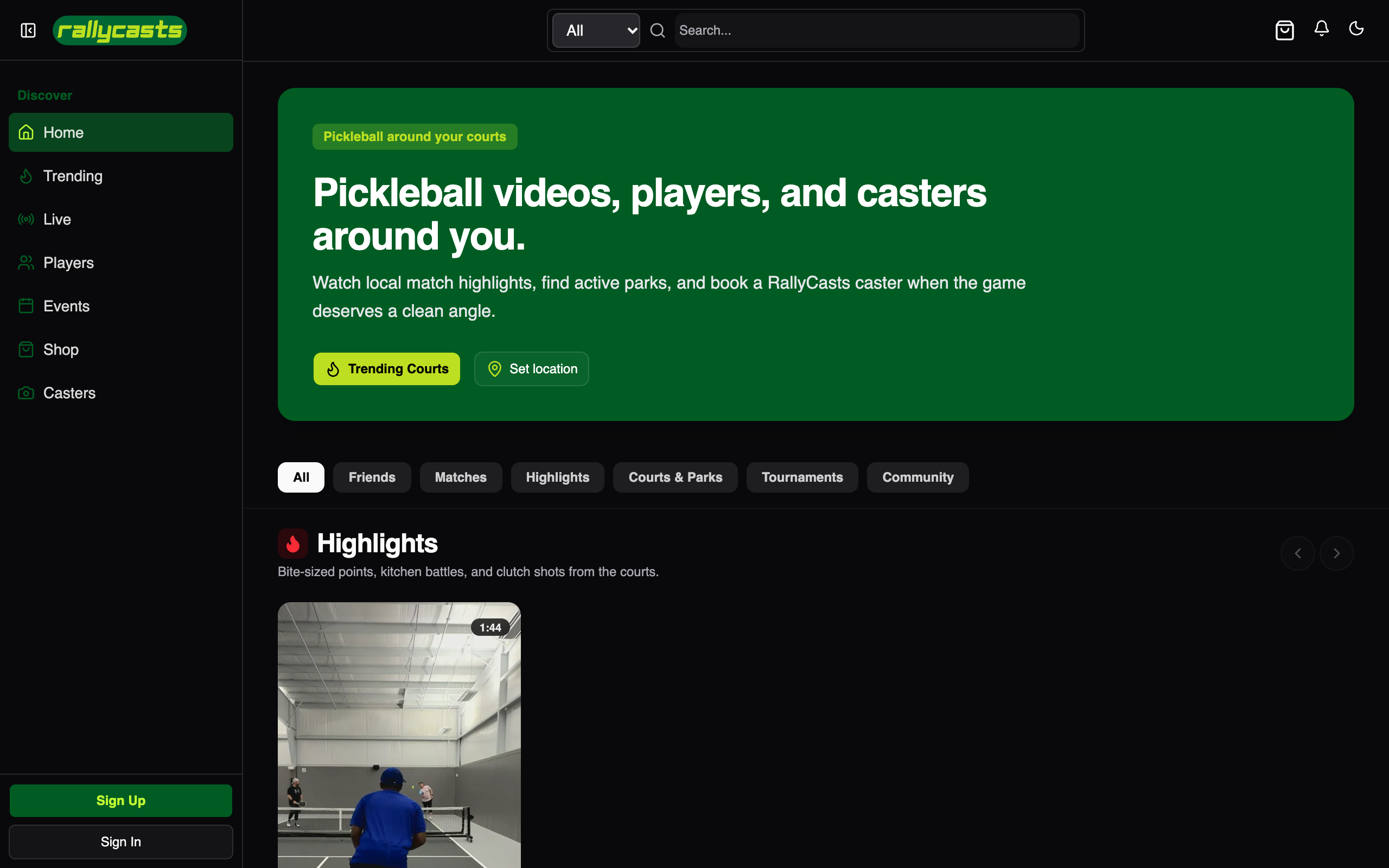
RallyCasts
Pickleball media and community platform with tournament bracket management, player discovery, and live streaming.
RallyCasts
Pickleball, told from the courtside
Discover players, follow local courts, watch creators, compete in events, and build a pickleball community around every match.
1. Product Overview
RallyCasts is a pickleball community and live media platform. It connects players and organizers with video creators and local courts through player discovery, social features, tournaments, match challenges, and live or recorded coverage.
The application includes a web experience, a player mobile app, a dedicated caster mobile app, and a Cloudflare API. Tournament registration and creator payments use Stripe Connect; live video and replay publishing use Mux.
2. System Architecture & Technology
Web (TanStack Start)      Player app (Expo)      Caster app (Expo)
        └────────────────────┬──────────────────────┘
                             │
                       Hono API
                             │
      ┌──────────────┬───────┼───────────────┬──────────────┐
      ▼              ▼       ▼               ▼              ▼
 Cloudflare D1   Durable Objects  Queues/Cron   Mux       Stripe Connect
      │              │
 Drizzle ORM    Live/session state
| Layer | Technologies |
|---|---|
| Web | React, TanStack Start, TanStack Router, Tailwind CSS |
| Mobile | Expo / React Native: player app and caster app |
| API | Hono on Cloudflare Workers |
| Database | Cloudflare D1 with Drizzle ORM |
| Realtime and jobs | Durable Objects, queues, and scheduled work |
| Video | Mux uploads, RTMPS live streams, webhooks, and replay publishing |
| Payments | Stripe Connect hosted onboarding and destination charges |
| Location | RallyCasts venue data, Google Places, and Radar |
| Workspace | Bun, Turborepo, shared UI package |
3. Product Capabilities
Players and local discovery
- Build a player profile and discover nearby players.
- Connect with friends, message players, and receive in-app or push notifications.
- Browse nearby parks and courts using venue information and location-aware ranking.
- Find videos by player, venue, tags, and related content.
Video, creators, and live coverage
- Upload video directly to Mux from Creator Studio.
- Start RTMPS live streams and publish the completed recording as a replay.
- Browse public live watch pages and a courtside live directory.
- Manage stream publishing and processing status from the Studio.
- Publish short clips and review first-party view, watch-time, follower, and daily audience analytics.
- Keep ingest credentials owner-only in Creator Studio.
Events and competition
- Create free or paid tournaments with single-elimination or round-robin brackets.
- Seed participants, assign courts, score matches, and notify participants of updates.
- Use player-to-player match challenges with a park, court, schedule, optional caster, split-payment preference, and caster tip.
- Register for paid events through Stripe Checkout; registration confirmation is driven by a verified Stripe webhook.
- Support organizer teams, organization profiles, and organization-authored posts and videos.
Onboarding and notifications
Guided onboarding collects player details, roles, game preferences, and a home court. The mobile apps can register Expo push tokens for notifications such as court calls, tournament results, challenges, and messages. Push registration is optional; other notification paths continue when push credentials are not configured.
4. Monorepo Structure
rallycasts/
├── apps/
│   ├── web/                 # Public site, player community, events, and Creator Studio
│   ├── native/              # Player mobile app
│   ├── caster/              # Caster and streaming mobile app
│   └── server/              # Hono API, routes, jobs, and Durable Objects
├── packages/
│   ├── auth/                # Better Auth configuration
│   ├── db/                  # Drizzle schema and D1 migrations
│   ├── email/               # React Email templates and sending
│   ├── env/                  # Shared environment schemas
│   ├── infra/                # Alchemy Cloudflare resources
│   ├── ui/                  # Shared shadcn/ui primitives and styles
│   └── config/              # Shared workspace configuration
├── docs/                    # Project and operational documentation
├── e2e/                     # Playwright end-to-end specifications
└── scripts/                  # Development and end-to-end test support
5. Local Development
Prerequisites
- Bun 1.3.10
- Xcode for local iOS builds or Android Studio for local Android builds
Install the workspace and start the web/API development environment:
bun install
bun run dev
The web app runs at http://localhost:3001 and the API at http://localhost:3000. Alchemy provisions the local D1 database and applies migrations during development and deployment.
Build a native development client when native dependencies change, then start Metro. The iOS and Android scripts are app-local and run from each app workspace:
cd apps/native && bun run ios       # requires Xcode
cd apps/native && bun run android   # requires Android Studio
bunx turbo -F native dev            # start Metro
Use cd apps/caster for the streaming app. Physical devices without a local toolchain can use EAS development builds. Expo Go must match the project's SDK.
6. Commands
| Command | Purpose |
|---|---|
bun run dev |
Start web and API development |
bun run dev:web / bun run dev:server |
Start one web or API workspace |
bun run dev:native / bun run dev:caster |
Start one native app |
bun run build |
Build the configured workspaces |
bun run check-types |
Run workspace TypeScript checks |
bun run test |
Run configured tests |
bun run e2e |
Run Playwright end-to-end tests |
bun run db:generate |
Generate Drizzle migrations |
bun run deploy |
Deploy the default Alchemy stage |
bun run deploy:prod |
Deploy the production stage |
bun run destroy |
Remove the selected Alchemy stage |
7. Deployment Notes
Production infrastructure is defined in packages/infra/alchemy.run.ts. Deployments provision the web app, Hono API, D1 migrations, Durable Objects, and configured Google Places, Radar, Mux, and R2 bindings.
Paid tournaments require STRIPE_SECRET_KEY and STRIPE_WEBHOOK_SECRET. Live streaming uses MUX_TOKEN_ID, MUX_TOKEN_SECRET, and MUX_WEBHOOK_SECRET. Point the Mux webhook at https://api.rallycasts.com/api/v1/mux/webhook and enable live stream and asset events so completed recordings can publish as replay videos.
Set EXPO_PUBLIC_EAS_PROJECT_ID in apps/native/.env and apps/caster/.env for push-token registration. The server may use EXPO_ACCESS_TOKEN when push security is enabled in EAS. Without a project ID, mobile push registration is skipped while other notification paths continue to work.
The GitHub Actions CLOUDFLARE_API_TOKEN must be scoped to the account and the rallycasts.com zone, with the permissions needed for Workers, D1, R2 bucket and custom-domain management, and zone lookup. The deploy workflow checks the media.rallycasts.com R2 custom domain and its authoritative DNS record. Do not replace it with a manual r2.dev CNAME. Keep provider credentials in deployment secrets and local environment files, never in source control.
See the Cloudflare / Alchemy deployment guide for the shared deployment workflow.
8. Quality Checks
bun run check
bun run check-types
bun run test
bun run build