
When you operate multiple consumer products and live client systems, your personal portfolio tends to sit in a strange spot. It is the one site you want to represent your current technical taste, yet it often ends up running an older architectural experiment you moved on from six months ago.
My previous portfolio ran on Next.js 16 paired with Convex for data storage. It was functional, reactive, and looked clean. But every time I wanted to add a simple project card or tweak an excerpt, I found myself questioning why a personal portfolio needed a persistent WebSocket client database connection and several hundred kilobytes of client-side React hydration.
I decided to migrate the entire site to EmDash, an Astro-native CMS built around SQLite and Cloudflare edge deployments. Here is an honest breakdown of the migration process, what worked remarkably well, what took some friction to smooth over, and how the new site came together.
Why Leave Next.js and Convex?
Convex is an extraordinary database for real-time applications like multiplayer games, collaborative workspaces, and live notifications. But using it for a developer portfolio was textbook over-engineering.
Every visitor was opening a WebSocket connection to fetch relatively static project listings. Furthermore, maintaining the Next.js client bundle meant page loads carried unnecessary runtime overhead for what is essentially an editorial reading experience.
I wanted three specific things for the new version:
- Edge-native performance: Sub-50ms time to first byte, server-rendered on Cloudflare with minimal client JavaScript.
- Local-first data management: A single SQLite database file living right inside the repository during development, completely version-controlled and seed-driven.
- Low maintenance friction: Adding a new project or writing an article should take seconds in code, without opening external web dashboards or managing detached CMS cloud tokens.
Visual Comparison: Old vs New
Here is how the old Next.js and Convex site looked:
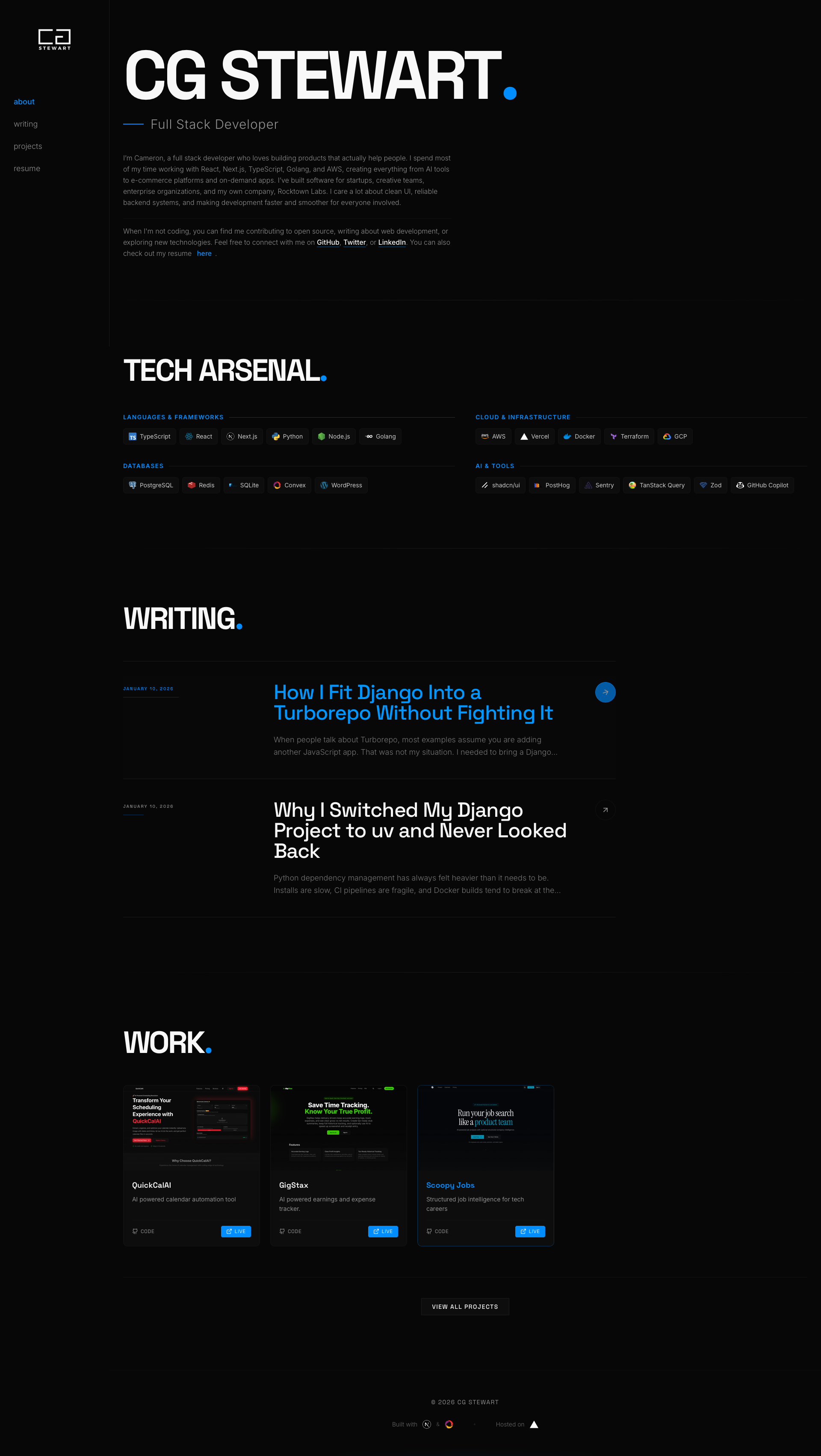
The previous Next.js portfolio: minimal and dark, but backed by a heavier client architecture with Convex WebSockets.
And here is the new EmDash and Astro implementation:
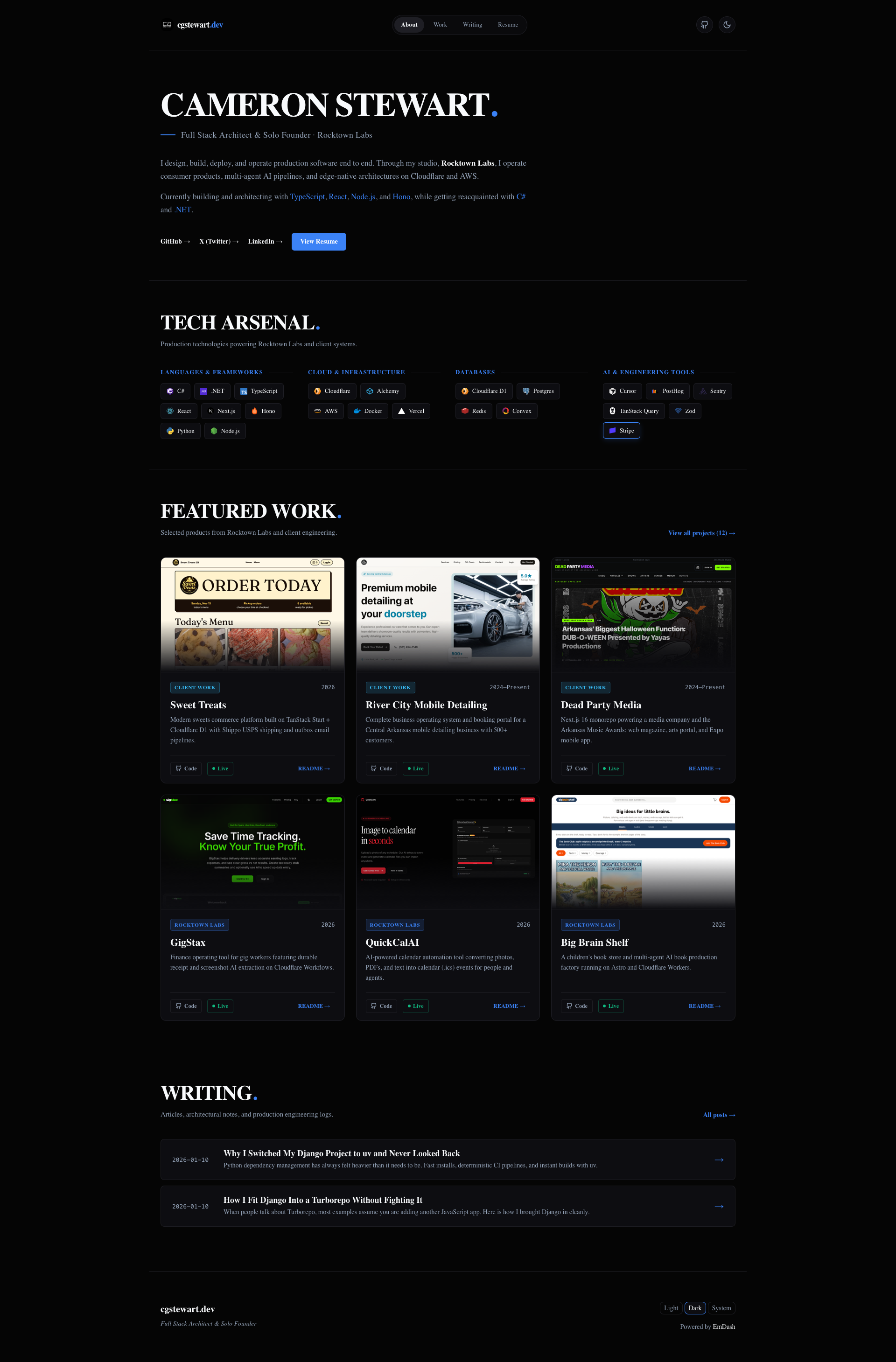
The new EmDash site: sharper typography, streamlined Tech Arsenal, and live screenshots for all twelve projects.
What I Really Liked About EmDash
1. SQLite and D1 Simplicity
The standout feature of EmDash is how it treats content storage. Instead of demanding a hosted headless CMS API like Sanity or Contentful, EmDash uses a local SQLite database (data.db) for development that maps directly to Cloudflare D1 in production.
All collections, taxonomies, fields, and initial content are declared in a version-controlled seed.json file. Applying schema changes or updating copy is as simple as running:
pnpm emdash seed --on-conflict=update
The command validates the schema, runs internal migrations, updates records, and regenerates TypeScript definitions in seconds. If you want to spin up a new dev environment or test on a separate machine, you clone the repo and run the seed command. No cloud account dependencies required.
2. Blistering Astro Server Rendering
Astro has become my go-to recommendation for content-rich websites. Because EmDash runs directly inside Astro via an integration, every page is rendered on the server with zero client JavaScript by default.
Clicking between /work, /writing, and /resume feels instant. The browser renders clean HTML and lightweight CSS without waiting for a massive virtual DOM tree to hydrate in the background.
3. Dynamic GitHub README Integration
Instead of manually duplicating documentation for my projects, I hooked the /work/[slug] detail pages directly to GitHub's raw content API.
When a visitor views a project like QuickCalAI, SoundKit, or GigStax, the page fetches the latest README.md from the corresponding GitHub repository and renders it with marked. Any update pushed to a project repo automatically updates the portfolio case study.
What Felt Quirky and Required Workarounds
No migration is without its friction points. Here are the hurdles I encountered and how I resolved them:
1. Portable Text vs Developer Markdown
EmDash defaults to Sanity-style Portable Text block arrays for rich content in its seed files. For non-technical editors using visual admin dashboards, Portable Text offers structured safety. But for a developer who writes in Markdown, hand-authoring nested JSON block trees with span objects is painful.
I solved this by updating the article detail template to accept raw Markdown strings directly from the content field and parse them with marked. This allows me to write standard GitHub-flavored Markdown with code fences, image embeds, and lists while letting EmDash manage the metadata and taxonomy tags.
2. Inline Formatting and Whitespace Collapse
In the hero bio, I wanted to highlight specific technologies inline using custom CSS classes. In standard Astro JSX, breaking highlighted spans across multiple lines inside a paragraph caused the browser to collapse whitespace, sticking words directly to adjacent commas and periods.
The fix was straightforward but subtle: keep inline highlighted spans on continuous lines and use standard HTML <strong> and <span> elements with precise CSS font-weight overrides rather than blocky inline-block pills.
3. Implementing Gated Interactions Outside the CMS
For the resume section, I wanted to collect work emails and phone numbers from recruiters and engineering leaders before granting access to the PDF download.
Because EmDash focuses on content rendering rather than form processing, I added a custom Astro API route at /api/resume-request.ts. Using Node's built-in node:sqlite driver, the endpoint writes submission records directly to a dedicated table in data.db and triggers an immediate download of the condensed one-page resume.
Verdict
Migrating cgstewart.dev to EmDash and Astro delivered exactly what I was aiming for: a fast, lean, beautiful portfolio that is pleasant to maintain and lightning-fast to browse.
By cutting out the client-side database layer, streamlining the Tech Arsenal, automating real browser screenshots, and condensing the resume to a single page, the entire site feels focused and intentional. If you are looking for an Astro-native CMS that keeps your content close to your code, EmDash is well worth exploring.